Usage Notes
This script has been open-sourced on GitHub: https://github.com/RYQ-22/bestbuy-stock-alert. Please note:
- This script is for personal use. Its features are minimal, but it is simple to use and meets my needs. If you have more complex requirements, such as support for other websites or automatic email sending, you can take a look at this project: https://github.com/Prince25/StockAlertBot (you need to deploy it yourself, which is a bit more troublesome than this script).
- BestBuy determines region by request IP by default, and stock status varies by region. Please deploy this script in the region you need to check.
- If you want to deploy this script as a scheduled task, you need a computer (or server) that stays on, essentially letting Python check the BestBuy page for you.
- If you do not want the hassle of deploying it yourself, you can also subscribe directly to an online stock monitoring service (just Google it).
1️⃣ Get the Twilio API
1. Open the Twilio official website and register a free account
Click “Start for free” to register as shown in the image.

Registration requires a virtual phone number. Google Voice is recommended (do not use a physical phone number, otherwise carrier verification will be required). After verification, save the recovery key, then click “Continue with trial.”
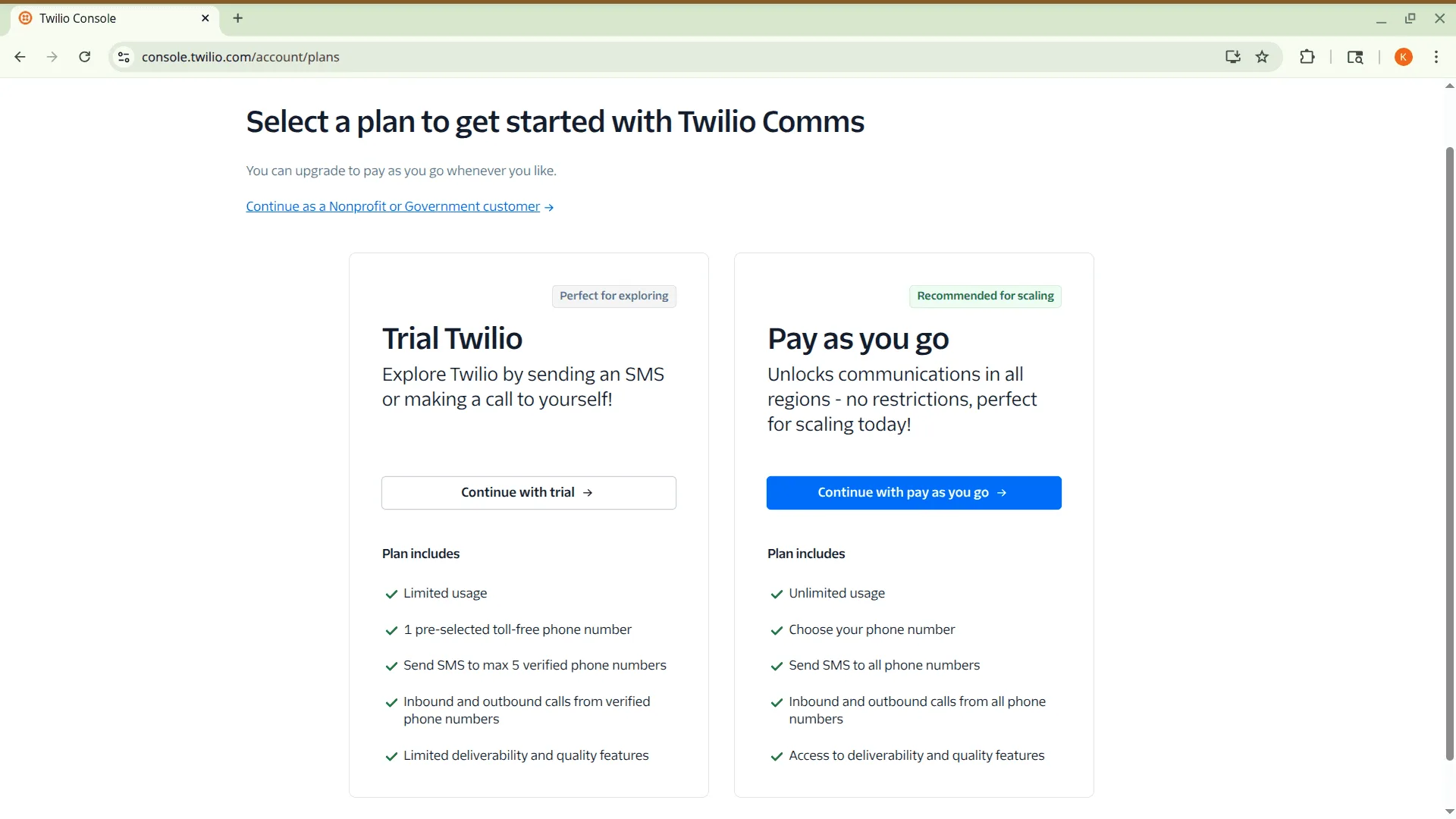
2. Get the information needed for environment variables
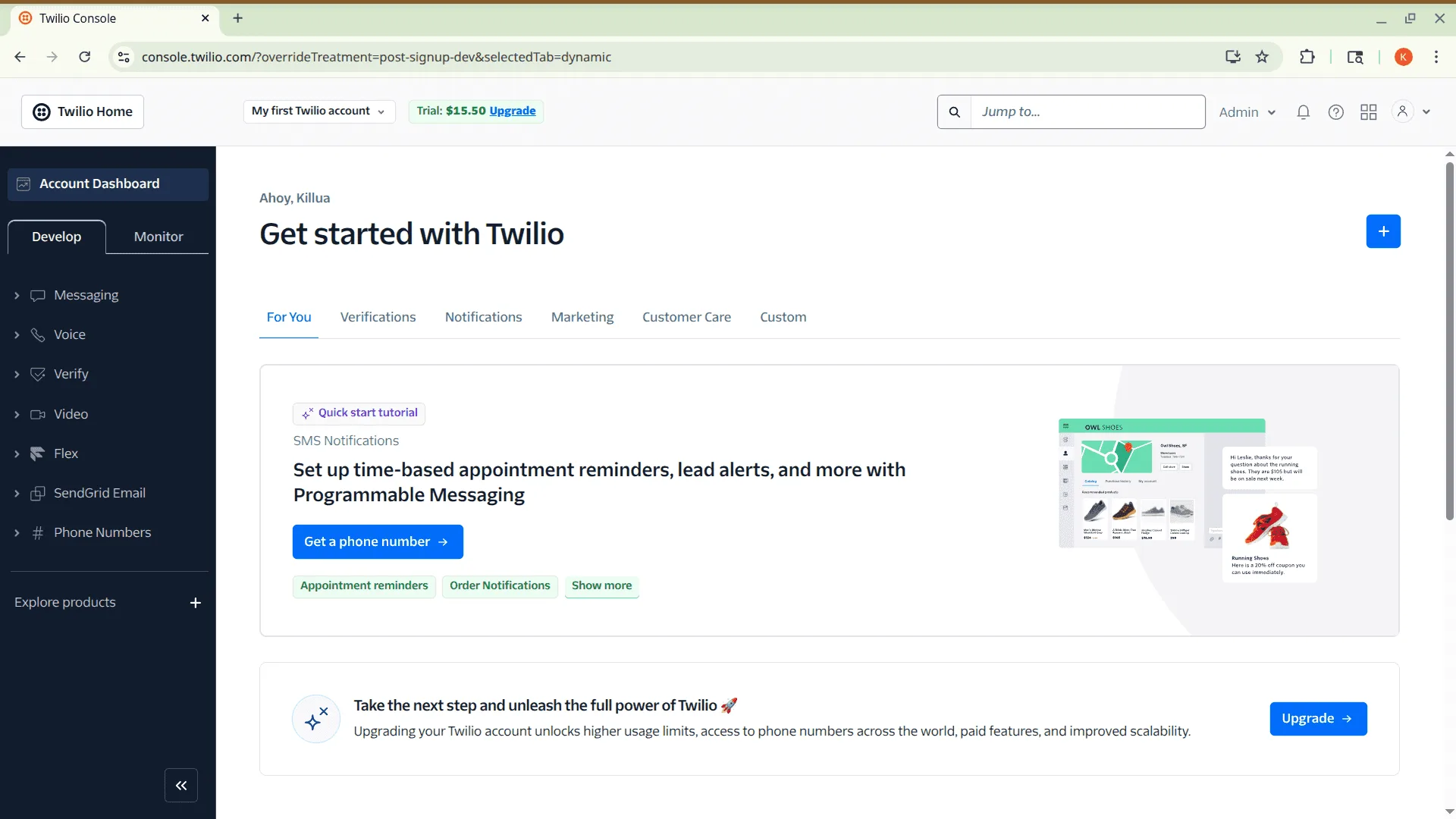
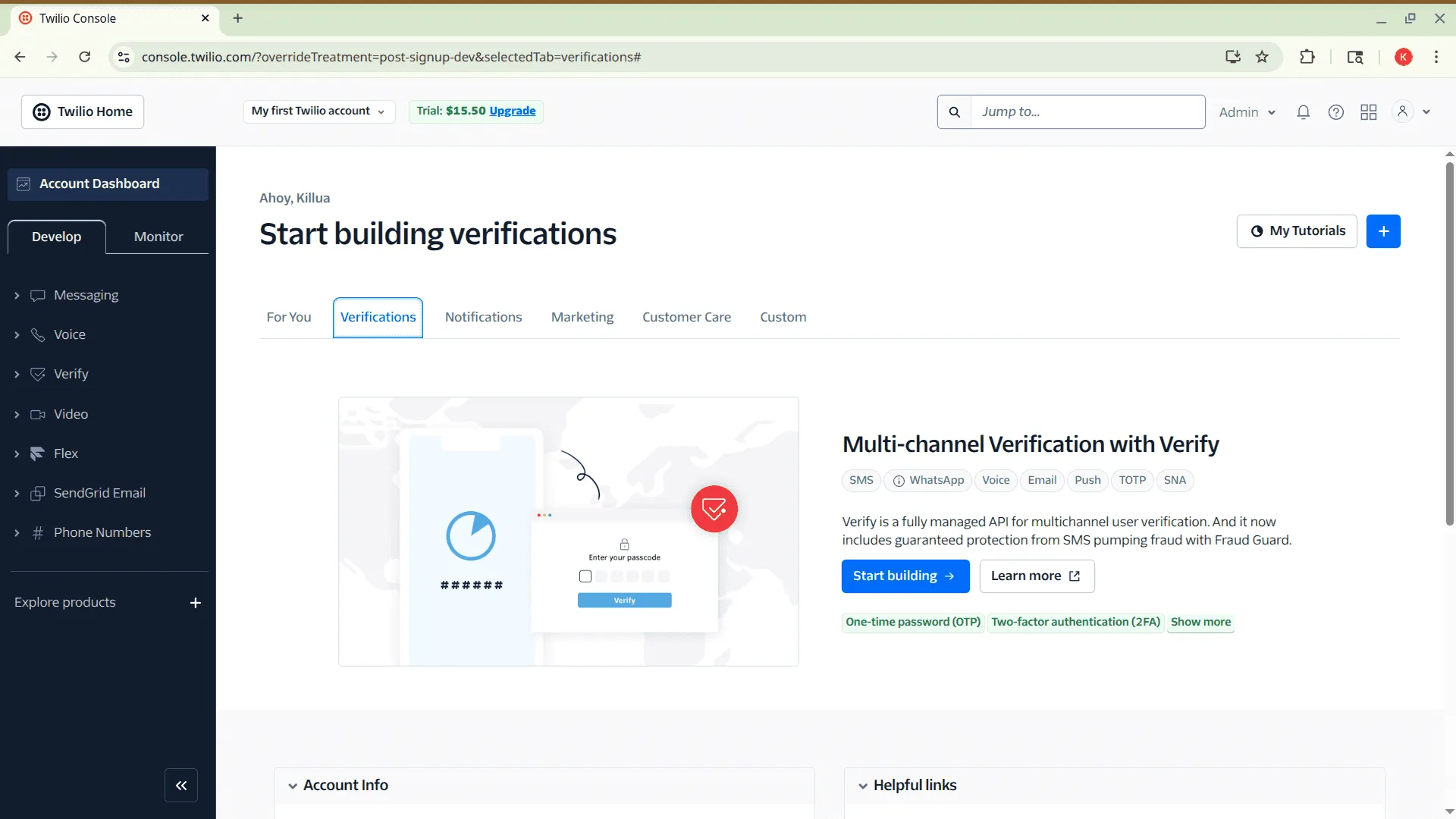
As shown, enter the homepage and click “Get a phone number.” You should see the following page.
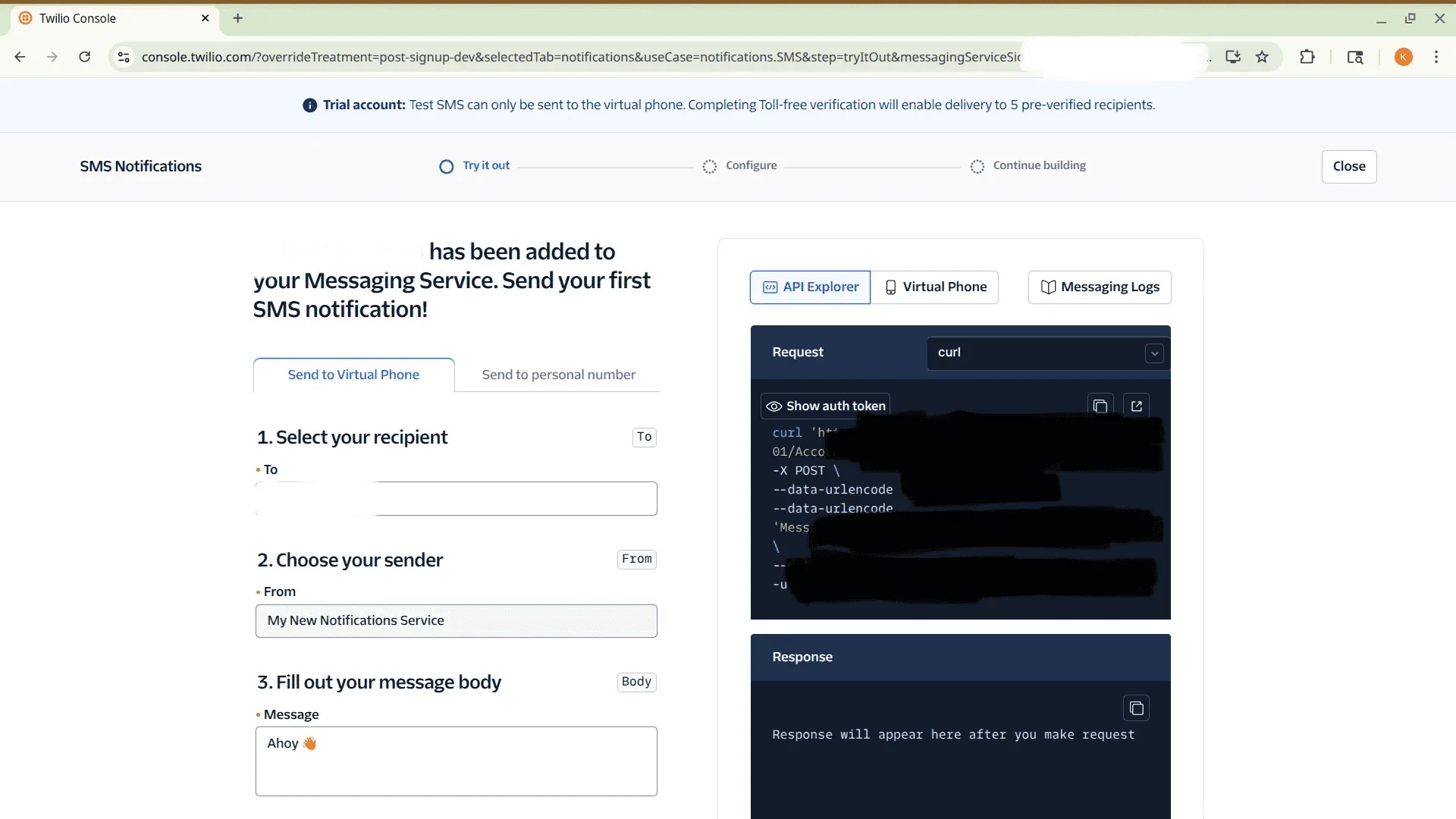
Click “Configure” at the top, and then you can see the Service SID we need on the right.
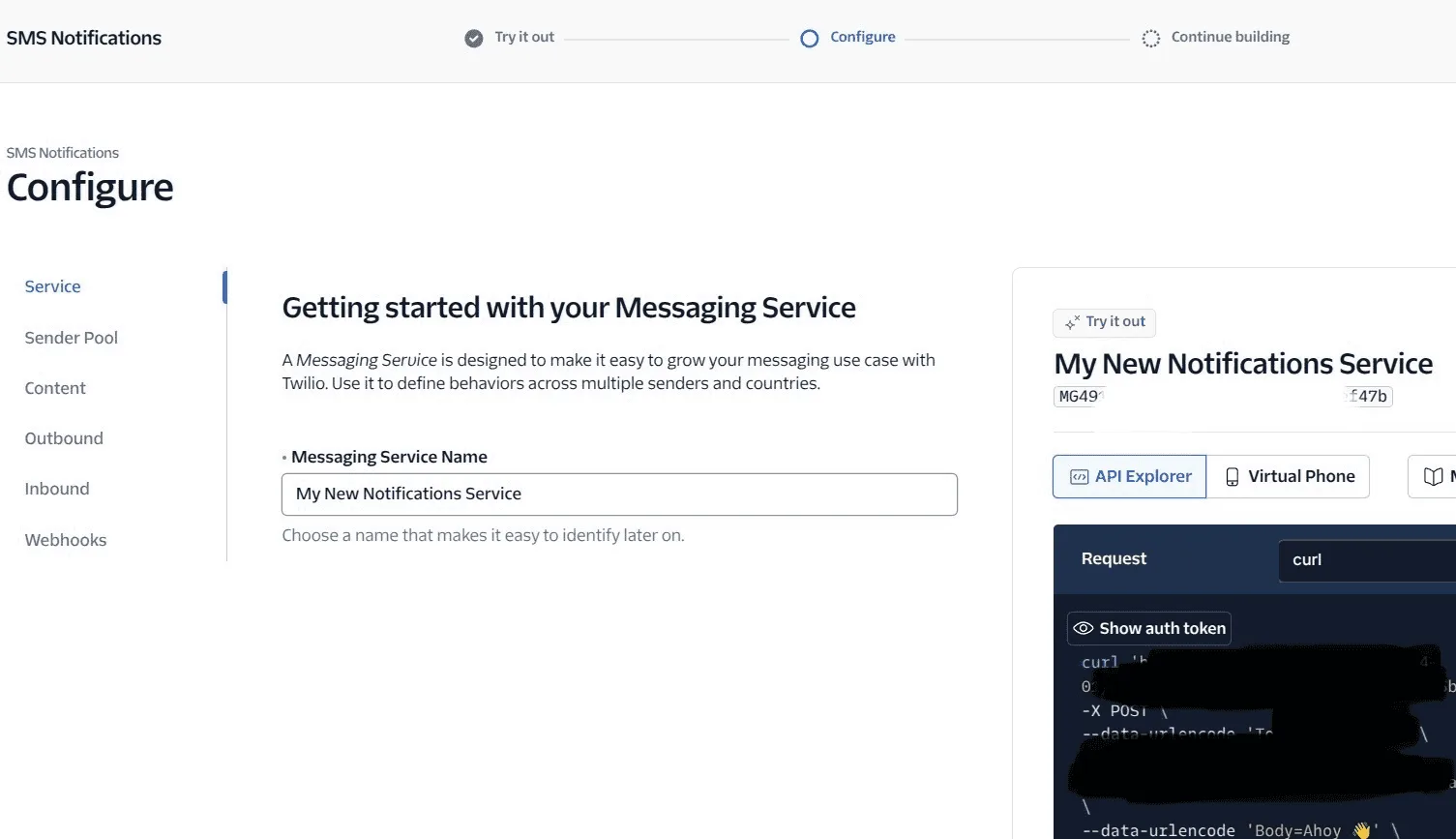
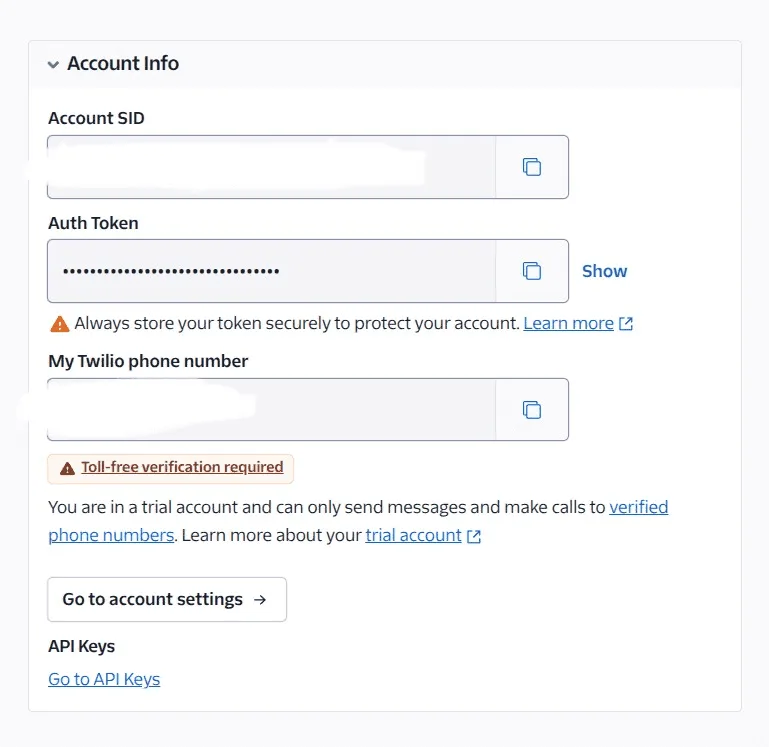
Then go back to the main interface and scroll down to see “Account Info.”
You can see the “Account SID” and “Auth Token” we need. The phone number here does not matter; it is the number Twilio uses to send SMS.
Then download the bestbuy.env file from the GitHub project page and edit it, or just copy the content below and edit it directly. Note that the phone number here should be changed to the Google Voice virtual phone number used during registration.
# bestbuy.env
TWILIO_ACCOUNT_SID=YOUR_ACCOUNT_SID
TWILIO_AUTH_TOKEN=YOUR_AUTH_TOKEN
MESSAGING_SERVICE_SID=YOUR_SERVICE_SID
RECIPIENT_PHONE_NUMBER=+1xxxxxxxxxx
2️⃣ Download the binary file
Tests show that using a Python version other than 3.9.20 may cause connection timeouts during requests. For convenience, you can directly download the packaged binary from the GitHub Release: https://github.com/RYQ-22/bestbuy-stock-alert/releases/tag/v1.0.0
Download the corresponding binary for your system, and you may need to grant executable permissions.
3️⃣ Set up a scheduled task
After downloading, place the binary file and the previously edited bestbuy.env file in the same folder. The following explains how to set up scheduled tasks on different systems (to check stock status at regular intervals).
Linux
Use crontab by entering the following in the terminal:
crontab -e
Then insert the following line at the end of the file:
*/1 7-23 * * * cd your_folder && ./bestbuy-stock-alert-1.0.0-linux_x86-64 your_url >> your_logfile 2>&1
- Change
1to the query interval (in minutes) - Change
7-23to the active time range for the task (for example, if you only want to query between 8:00 and 22:00, change it to8-22) - Change
your_folderto the absolute directory containing the packaged binary file andbestbuy.env - Change
your_urlto the BestBuy product URL you want to check (default:https://www.bestbuy.com/site/nvidia-geforce-rtx-5080-16gb-gddr7-graphics-card-gun-metal/6614153.p) - Change
your_logfileto the log file name
Windows
Use schtasks by running the following command in Command Prompt (cmd) or PowerShell:
schtasks /Create /SC MINUTE /MO 1 /TN "BestBuy Stock Alert" /TR "cmd /c \"cd /d \"C:\\Path\\To\\Your\\Folder\" && bestbuy-stock-alert-1.0.0-windows-x86-64.exe \"your_url\" >> \"C:\\Path\\To\\Your\\Log\\your_logfile.log\" 2>&1\"" /ST 07:00 /ET 23:59
- Change
1to the query interval (in minutes) - Change
07:00and23:59to the daily start and end times for the task - Change
C:\\Path\\To\\Your\\Folder(note that the ending backslash is not included) to the absolute directory containing the packaged binary file andbestbuy.env - Change
your_urlto the BestBuy product URL you want to check (default:https://www.bestbuy.com/site/nvidia-geforce-rtx-5080-16gb-gddr7-graphics-card-gun-metal/6614153.p) - Change
C:\\Path\\To\\Your\\Log\\your_logfile.logto the absolute path of the log file. If you do not need logs, you can delete the following part:>> \"C:\\Path\\To\\Your\\Log\\your_logfile.log\" 2>&1\"
Before setting it as a task, you can try running it directly in cmd to see whether it works:
bestbuy-stock-alert-1.0.0-windows-x86-64.exe
4️⃣ Afterwards
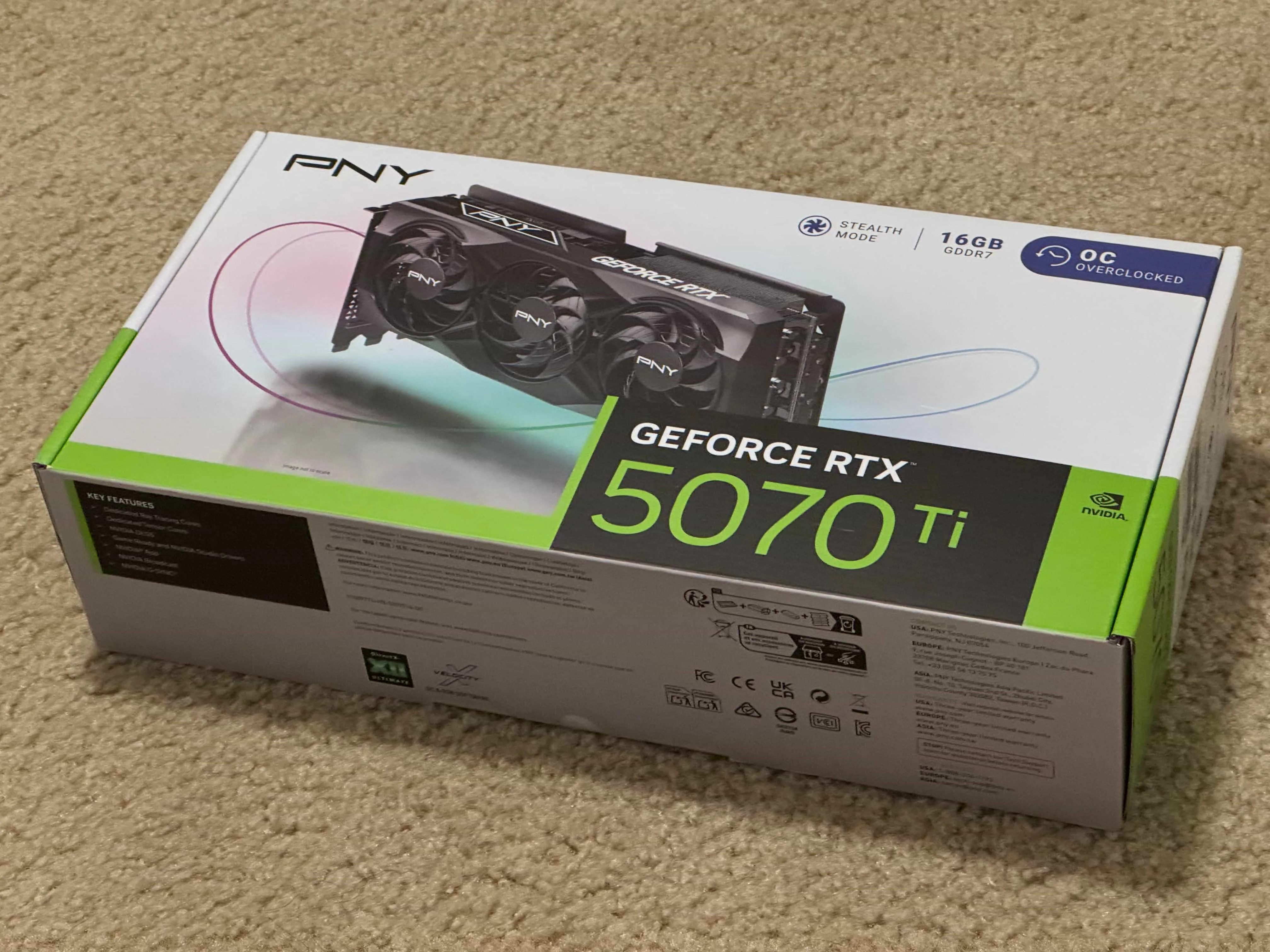
After deploying it as a scheduled task, I just left it alone. Unexpectedly, one morning I woke up and saw an SMS saying that a PNY 5070Ti OC was in stock. When I clicked the link, it was already sold out. Then, more stock appeared again about ten minutes later, and I bought it right away. After tax and cashback, it cost about RMB 5700.