
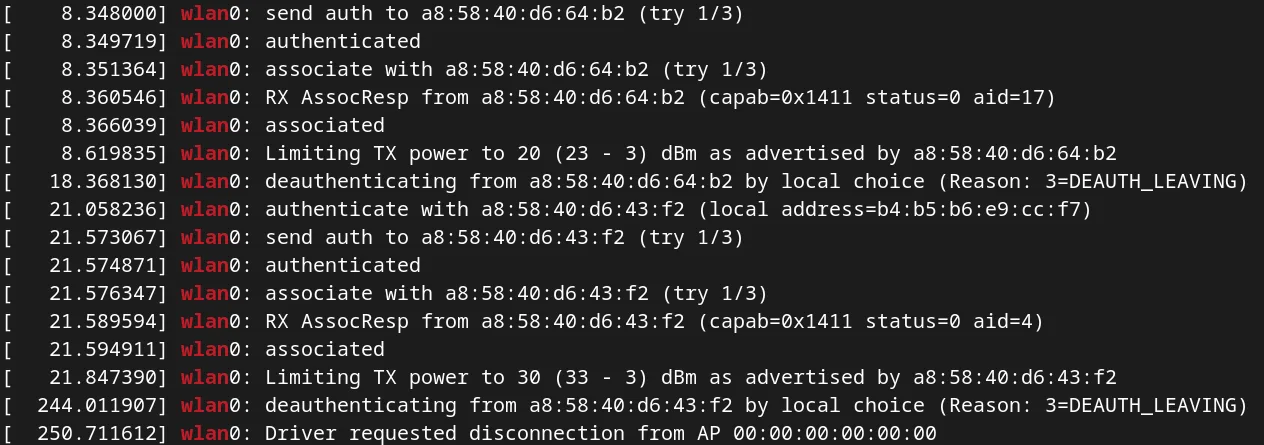
If you are encountering the problem shown in the figure below (Every few minutes there is a deauthentication, which is accompanied by internet disconnection), you can try the following solution.
Solution
This problem may be caused by the conflict between different network managers (like NetworkManager, iwd, wpa_supplicant…). You can try the following command. If there are more than one network managers are enabled, you should pick one and disable the others.
find /etc/systemd -type l -exec test -f {} \; -print | awk -F'/' '{ printf ("%-40s | %s\n", $(NF-0), $(NF-1)) }' | sort -f
For example, on my Arch Linux system, NetworkManager.service, iwd.servie and wpa_supplicant were enabled at beginning. Then run the following commands:
sudo systemctl disable --now iwd
sudo systemctl disable --now wpa_supplicant
Reboot before re-connecting the WiFi.